

Having control over every element of your workflow is imperative to maximizing your output. Read on to find out how a good RIP can make all the difference.
A RIP, or raster imaging processor, is a software program that allows your digital printer to communicate with your computer. First and foremost, the RIP turns vector files – files like eps, ai and pdf – into a bitmap, or raster, format that the printer can understand.
But a RIP also does so much more to both improve and simplify your workflow, providing you with greater control over image editing, color management and overall print production.
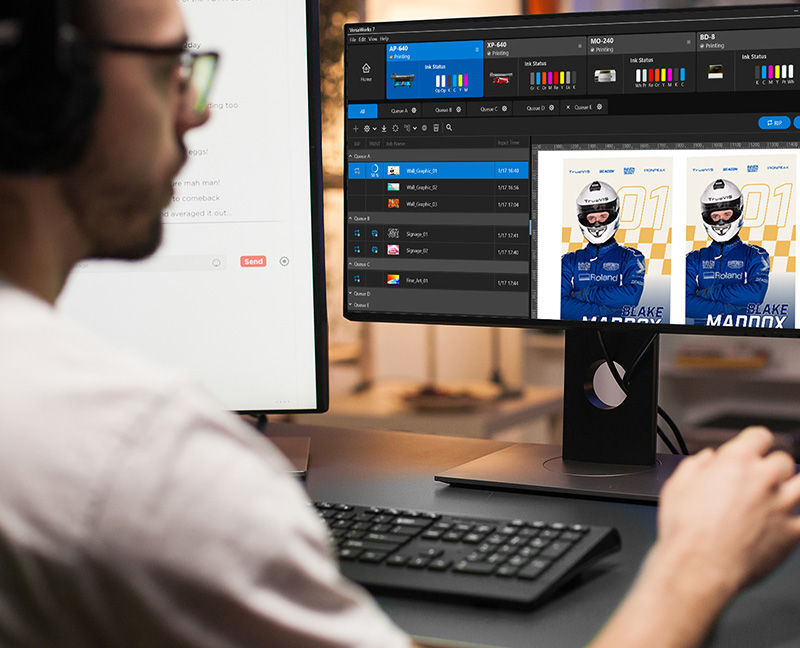
A print operator using VersaWorks RIP.
What Does a RIP Do?
There are many RIPs on the market, each with its user benefits, but using one developed specifically for your printer can maximize your results. Roland DG's VersaWorks, available for macOS and Windows, is an easy to use and powerful RIP that comes included with new purchases of selected Roland DG printers.
The learning curve is straightforward – meaning users can be up and running quickly once the printer is installed. Functionality between RIPs will vary, but a well-designed RIP such as VersaWorks will allow you to:
- Perform scaling, cropping and duplication of jobs.
- Manage the balance between the quality and speed of your printer’s output.
- Create presets to suit your workflow.
- Tile larger jobs for easy application.
- Easily manipulate print, cut and special effect printing options.
Some Roland products can utilize other RIP software as well. Ultimately, a good RIP can make a real difference to your processes and the quality of your output.
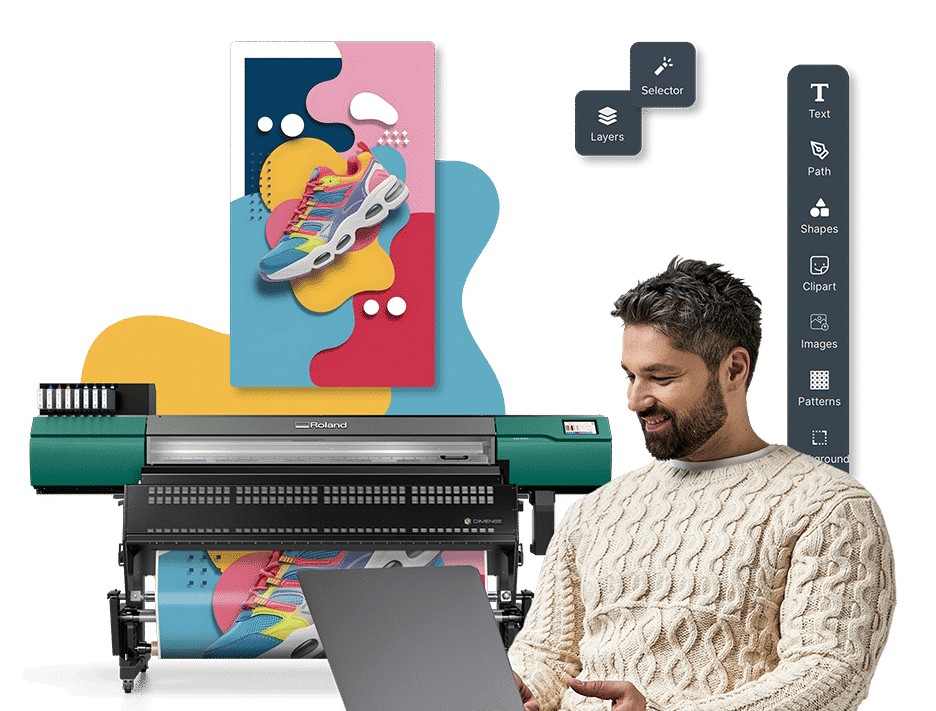
Roland DG Connect Designer generates print-ready settings automatically during the design process.
Additional Features of a RIP
A good RIP provides numerous workflow benefits essential to streamlining production and cutting costs. It enables user creativity and helps business owners meet and exceed customer expectations.
Speeding Up Your Workflow
There’s nothing more important to a business than producing quickly enough to meet customer demand while retaining the high quality they expect. If you want to make a profit, you’ll need to be ready to react, with good processes in place. Your RIP is the key to an efficient workflow.
Adjustable Settings
There are processes that print professionals repeat again and again, so a good RIP that can manage your workflow efficiently and reliably is imperative to maximizing your profit potential – from optimizing your media usage and minimizing waste, to creating unique printer profiles and improving color consistency. Settings can be tailored to the user, so you can customize what you see and remove elements you don’t use.
Custom Queues and Hot Folders
VersaWorks gives you the ability to create custom queues and hot folders to save options and print settings between jobs, users, and devices. If your setup includes two or more devices, the benefits are enormous, and you can automate some aspects of production plus match printer color profiles using built-in features on some models. Duplicating jobs or pairing separate devices for print-then-cut workflows is also seamless.
Printer Analytics and Cost Tracking
Data-driven businesses can monitor ink and media usage via VersaWorks' Job Log function or the Roland DG Connect app. This allows you to provide accurate quotes to customers, track your consumption and plan accordingly. The intuitive dashboard in Roland DG Connect lets users break down costs to individual inks, cost per square foot and more to get as accurate a picture as possible.
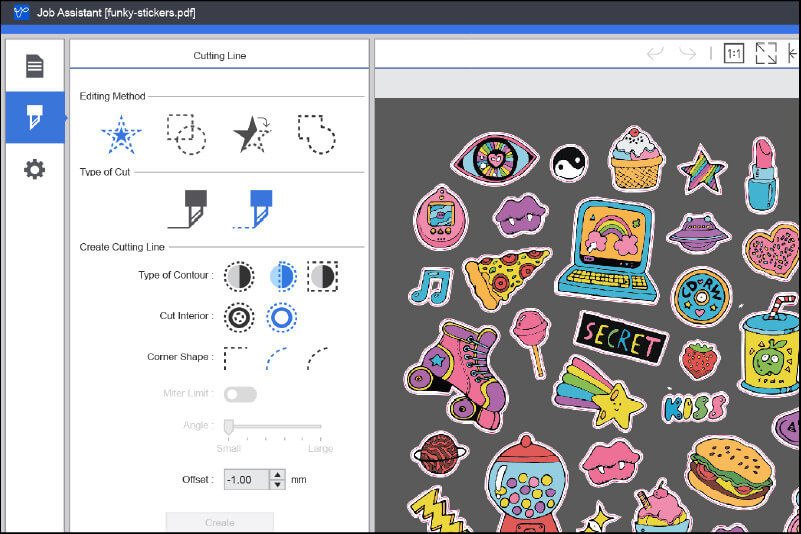
Adding cut lines with VersaWorks' Job Assistant feature.
On-board Editing and Tweaking
We all have our favorite programs to work with and the vector and bitmap artwork mentioned earlier is often produced using graphic design packages. These powerful programs are great artistic tools and considered industry standards in the graphic design industry, but since they are not specifically designed for working with print and cut, and UV flatbed printers, they tend to be overly complex when it comes to performing special tasks such as working with additional print data like white ink, gloss ink and cut lines.
While some RIPs act as standalone applications and are limited to performing only a certain number of adjustments, other RIPs, such as VersaWorks, are actually part of a larger “graphics system” that adds a wider variety of functionality. So, instead of having to return to a design application to “tweak” your image, VersaWorks lets users perform these tasks using DG Connect Designer. Now, tasks that can be difficult in off-the-shelf design applications can be performed in Designer with a few clicks of your mouse. In addition to scaling and cropping, Designer includes more powerful tools such as the ability to adjust color settings and add specialty colors like white and gloss, incorporating cut lines into your designs and sending the job directly from the design application to VersaWorks. In fact, for many users, the combination of DG Connect Designer and VersaWorks can provide a complete solution, from concept to output.
Editing Cut Lines in the RIP
DG Connect Designer can also be used to edit cut lines on imported pdf files. This feature is especially useful as it simplifies the cut settings significantly compared to other design programs. You can draw and merge cut lines, determine the type of cut, and amend various other useful options.
Maintaining Quality in Larger Graphics
There will be occasions when users want to print a bitmap image, a jpeg or png, but need to increase its size. Unlike vectors, bitmaps are based on pixels, or tiny blocks of color of a set size, so the quality can decline quickly as they are enlarged. While there’s no guaranteed fix for this, VersaWorks features an interpolation option that can improve distortion up to a point on enlarged bitmaps.

Roland DG's Color System Library.
Color Management
Color means everything in the world of print and a good RIP gives you the means to exceed customer expectations. Imagine having your printed branded materials all look different, from brochures to leaflets to posters. It just won’t do. Correct colors are the least the customer expects.
The CMYK gamut that is used in print can theoretically produce around one million possible colors, compared to an RGB screen which can reproduce up to 16,581,375, so how can a RIP like VersaWorks help to maximize color quality?
Built-in Color Libraries
Color can vary between inks, printers and substrates. VersaWorks makes it easy to match colors between jobs. It achieves this through several built-in media profiles plus several supported spot color libraries including Pantone and Toyo. Roland’s True Rich Color management presets offer a wider gamut than many other available profiles.
ICC Media Profiles
If you’re more advanced in color management, you can download additional ICC profiles from the Roland Profile Center specifically for your media type. If you want to go further and color is a cornerstone of your business, you can take your image through VersaWorks' media profile creation tools, custom spot color libraries and spot color swapping.
Conclusion
The RIP you use, be it VersaWorks or another software, should give you full control over your print settings that ensure accuracy every time. If you’d like more information on anything mentioned in this article, please contact your Roland representative or talk to an expert here.
