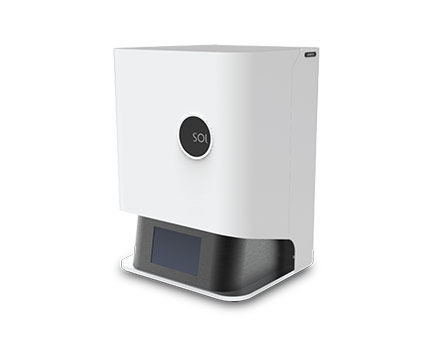
Support of SOL LCD 3D Printer | Roland DGA
Important Announcement Temporary Service Notice: Drivers and Downloads — Our Download Center is undergoing system maintenance, but drivers, firmware, software, and manuals are still available for download.

Temporary Service Notice: Drivers and Downloads

We are currently performing system maintenance on our Download Center to ensure the continued security and reliability of our online services. During this time, drivers, firmware, software, and manuals are still available through a temporary download page.

To find what you need, open the Download Center and follow the link to the temporary download page.

If you can’t find what you need there, please enter your serial number below to open a support case. Our support team will be happy to help.

We anticipate full service will be restored by Monday, November 2, 2026. However, the maintenance period may be extended if additional work is required.

We apologize for any inconvenience and appreciate your patience and understanding.

Roland DGA Customer Support Team

Expand All | Collapse All
Replacing the Print Screen Driver Module
958.72 KB
Optiprint Guide Resin MSDS
738.04 KB
Optiprint Model Resin MSDS Sheet, Manufactured by Dentona
762.82 KB
Optiprint Splint Resin MSDS Sheet, Manufactured by Dentona
765.49 KB
Optiprint Temp Resin MSDS Sheet, Manufactured by Dentona
789.81 KB
CURIE User Manual
1.07 MB
SOL User Manual
2.94 MB
To update the library, you must move the file to your micro SD. Do not modify the file name. You insert the micro SD in the CURIE. Then you can go to Settings>Update Material and press Yes for 5s.
38.79 KB
Curie Material updates
38.45 KB
Curie Post curing values
553.77 KB
CURIE Quick Start Guide
372.96 KB
SOL – Unboxing Your Printer
41.24 KB
SOL Quick Start Guide
7.88 MB
Alpha 3D Tutorials - Movement
41.07 KB
Operate your SOL in a temperature-controlled room, between 18°-25° C (64°-77° F).
SOL LCD 3D Printer Package Contents
You can print either over Wi-Fi or from your USB device.
You can easily operate your device from your computer. You can upload prints directly, and track print status. To set up your Wi-Fi connection:
There are four small boxes in the package and with the following contents:
SOL LCD 3D Printer Unboxing
The manufacturer is always adding new resins and improving functionality. If you are connected to the Internet, check for the latest firmware:
SOL LCD 3D Printer What you need
Top