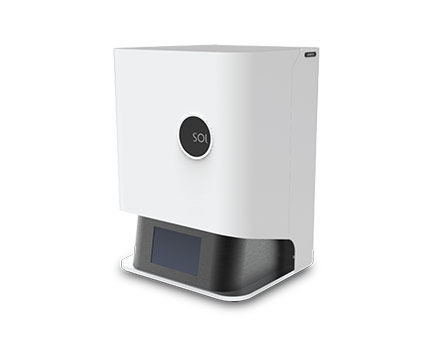
Support of SOL LCD 3D Printer | Roland DGA
Aviso Importante Aviso Temporal de Servicio: Controladores y Descargas — Actualmente estamos realizando tareas de mantenimiento en nuestro Centro de Controladores y Descargas para garantizar la seguridad y confiabilidad continuas de nuestros servicios en línea.

Aviso Temporal de Servicio: Controladores y Descargas

Actualmente estamos realizando tareas de mantenimiento en nuestro Centro de Controladores y Descargas para garantizar la seguridad y confiabilidad continuas de nuestros servicios en línea. Durante este periodo, es posible que algunos programas de software, controladores, manuales y otros recursos descargables no estén disponibles temporalmente.

Prevemos restablecer el acceso a más tardar el lunes 26 de octubre de 2026. Sin embargo, el periodo de mantenimiento podría extenderse si se requiere trabajo adicional.

Si necesita asistencia inmediata para obtener software, controladores o documentación, ingrese su número de serie a continuación para abrir un caso de soporte. Nuestro equipo de soporte con gusto le ayudará con opciones alternativas.

Le ofrecemos una sincera disculpa por cualquier inconveniente y agradecemos su paciencia y comprensión mientras trabajamos para restablecer estos servicios lo antes posible.

Equipo de Atención al Cliente de Roland DGA

Expandir Todo | Desplegar Todo
Replacing the Print Screen Driver Module
958.72 KB
Optiprint Guide Resin MSDS
738.04 KB
Optiprint Model Resin MSDS Sheet, Manufactured by Dentona
762.82 KB
Optiprint Splint Resin MSDS Sheet, Manufactured by Dentona
765.49 KB
Optiprint Temp Resin MSDS Sheet, Manufactured by Dentona
789.81 KB
CURIE User Manual
1.07 MB
SOL User Manual
2.94 MB
To update the library, you must move the file to your micro SD. Do not modify the file name. You insert the micro SD in the CURIE. Then you can go to Settings>Update Material and press Yes for 5s.
38.79 KB
Curie Material updates
38.45 KB
Curie Post curing values
553.77 KB
CURIE Quick Start Guide
372.96 KB
SOL – Unboxing Your Printer
41.24 KB
SOL Quick Start Guide
7.88 MB
Alpha 3D Tutorials - Movement
41.07 KB
Operate your SOL in a temperature-controlled room, between 18°-25° C (64°-77° F).
SOL LCD 3D Printer Package Contents
You can print either over Wi-Fi or from your USB device.
You can easily operate your device from your computer. You can upload prints directly, and track print status. To set up your Wi-Fi connection:
There are four small boxes in the package and with the following contents:
SOL LCD 3D Printer Unboxing
The manufacturer is always adding new resins and improving functionality. If you are connected to the Internet, check for the latest firmware:
SOL LCD 3D Printer What you need
Arriba