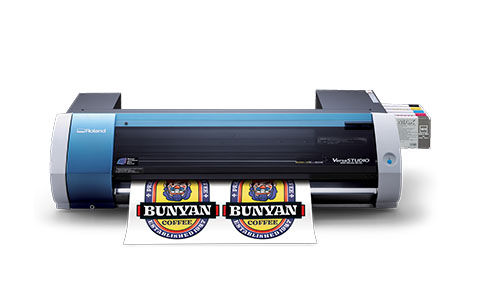
Roland DGA created a 3 part series of valuable self help documents. In addition we have a full library of self help videos on how to properly install the VersaStudio BN-20
Heat transfer media does not adhere to fabric properly.
No available banner media for BN-20
Blade doesn't cut WFRF properly.
Steps to resolve connectivity issues on the BN-20
Utilitydoes not communicate to the BN-20
I have a MAX2 white cartridge and all other cartridges are MAX inks. How should I set up my new BN-20?
Current Roland user wants to switch from Eco Solvent inks to dye sublimation inks
Does the BN-20 have a sheet cut feature
Can theBN-20 handle sublimation inks?
Can the BN-20 perform a perf cut?
TheBN-20 is able to print on banner material.
HELP!! I can't find the driver I need for my Roland!
Why cant the device be switched from CMYKMt -Wh or CMYKWh Mt?
I need a clear film that is compatible with my eco-solvent printer that I can print film positives.
Chart of color products (EcoSol/UV/Sublimation) that includes the various configurations, ink types and part numbers for ink. This article has been optimized for Mobile viewing.
The cut path is being clipped on one side of the print
CutContour linein apdf filedisappears.
Do other RIPs have drivers for the BN-20?
The BN-20 does require regular maintenance.
How long is the BN-20 installation process?
Wall graphics media either falls off or sticks too aggressively to the wall
Does the BN-20 require calibrations?
Is it easy to load material in the BN-20printer?
Is the utility software easy to use?
Poor printability; not clinging to glass surface
When loading media by the sheet the BN-20 sends a message stating The Pinch Roller position is incorrect
Printer does not recognize a new ink cartridge or customer has a faulty ink cartridge that causes printing issues.
MOTOR ERROR TURN POWER OFF
VersaSTUDIO BN-20A installation videos are now available on Roland TV page. This includes a series of videos to assist with the BN-20A printer set up, assembling the optional stand, installing the driver and BN-20(A) Utility Software
Las impresoras de inyección de tinta Roland han sido diseñadas para permanecer inactivas solo durante breves periodos de tiempo. Cuando no está siendo usada, cada impresora lleva a cabo un mantenimiento automático. Sin embargo, hay algunas situaciones que requieren periodos prolongados de inactividad, especialmente en entornos educativos. Es importante preparar correctamente estos dispositivos para largos periodos de inactividad con el propósito de evitar daños y garantizar que estén en perfectas condiciones de producción al momento de imprimir nuevamente.
Roland inkjet printers were designed to accommodate short periods of downtime. Each printer performs automated maintenance when the machine is not in use. However, there are some situations that require extended periods of downtime, this is especially true in educational settings. It is important to properly prepare these devices for extended downtime to prevent damage and to ensure that your machine is in perfect production shape when you’re ready to start printing again.
Why do some of my prints on textiles look washed out and others don't?
HTM2 peels off in sections after laundering.
Wall and/or paint damage during removal of WFRV and/or WFRF.
Waste cartridge has been changed but still showing full.
Guide to RVW settings when printing white on clear material.
Can I use either of these cleaning cartridges interchangeably?
Spot color with transparency warning appears when trying to save a file to eps in Adobe Illustrator
FAQ for VersaWorks 6 - Includes supported devices, computer requirements and downloading/installing information.
Interested in upgrading to VersaWorks 6
Wall graphics is falling off after a few hours of application.
Waste tank shows full but pads are still clean can they be reused? Can pads be replaced with other products?
All Roland devices with a USB, Parallel (LPT), or Serial (COM) port need a driver to communicate with a computer. For Roland products compatible with Apple Macintosh operating systems, a plugin is used with Adobe Illustrator. For Roland devices with an Ethernet port, the output software (e.g. - RIP)includes the driver as part of the application.
When outputting a design to your printer, the software needs to be able to translate commands to the device (such as how much ink to fire and when). These commands tell the machine how fast to feed the material, at what speed the print carriage travels, and what heat settings are needed for the print platen. Other variables include theproperties of thematerial being printed on, how the ink chemsitry reacts to it, how the different process colors of ink blend together to form other colors, and how long the print takes to dry. A Profile is a combination of all of these variables, among others.
Colors are not matching from one panel to the next when printing tiled images
Why cant the BN-20 heat settings be adjusted?
Why can't the BN-20maintenance and alignments be performed from VW?
Why do I need the latest firmware and software updates?
Length of the ink fill process
Why is it so slow? Compare with the VS and RE using same print heads.
Why won't my BN-20 Power On?