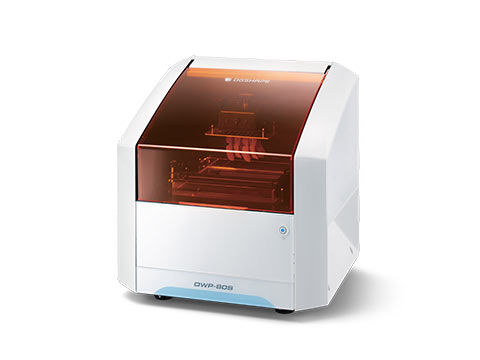
DWP-80S Dental 3D Printer | Roland DGA
Important Announcement Temporary Service Notice: Drivers and Downloads — Our Download Center is undergoing system maintenance, but drivers, firmware, software, and manuals are still available for download.

Temporary Service Notice: Drivers and Downloads

We are currently performing system maintenance on our Download Center to ensure the continued security and reliability of our online services. During this time, drivers, firmware, software, and manuals are still available through a temporary download page.

To find what you need, open the Download Center and follow the link to the temporary download page.

If you can’t find what you need there, please enter your serial number below to open a support case. Our support team will be happy to help.

We anticipate full service will be restored by Monday, November 2, 2026. However, the maintenance period may be extended if additional work is required.

We apologize for any inconvenience and appreciate your patience and understanding.

Roland DGA Customer Support Team

Technical Support for
Search dwp-80s Documents & Knowledge Base Articles
Expand All | Collapse All
3DXPRINT, Powered by Roland DGA is the ideal 3D printing solution for dental laboratories and clinical offices of all sizes as its small overall footprint provides big production output.
0.00 bytes
Windows 10
This document PDF lists instructions of how to install Roland drivers on Windows 10.
1.67 MB
SR100-CS SDS for DWP-80S
123.02 KB
SR100-TR and SR100-BS SDS for DWP-80S
119.08 KB
Latest User Manual for the DWP-80S. Last update July 11, 2017.
6.03 MB
Latest Setup Guide for the DWP-80S Dental 3D Printer. Last update July 21, 2017.
1.82 MB
Most Roland devices are supplied with a one year standard manufacturers warranty, but by registering your device within 60 days of purchase, your product could qualify for an extended warranty of up to 3 years.
78.33 KB
Quick Denta version 1.20 provides bug fixes, automated messaging for driver installation, and an updated user interface.
90.78 MB
YouTube portal for Global DGSHAPE Video Content
56.89 KB
Follow this link to the Roland Academy Webinars On-Demand webpage. Then filter through the videos to find a training session that suits your needs.
57.43 KB
HELP!! I can't find the driver I need for my Roland!
The cut path is being clipped on one side of the print
Information about my legacy product
When outputting a design to your engraver or milling machine, the software needs to be able to translate commands to the device. These commands tell the machine how fast to mill, at what revolutions per minute (RPM), and where to mill in 3D space. This is what makes up a toolpath. A Strategy is a combination of tool movements, material properties, software algorithms, and tool characteristics.
Top