

Al producir impresiones, el factor “calidad” es clave. ¿Qué calidad debo alcanzar? ¿Qué calidad desea mi cliente? ¿Qué calidad es la adecuada? Las respuestas a estas preguntas no son siempre las que uno espera. Imprimir con énfasis en la velocidad puede correr el riesgo de que el trabajo sea rechazado o tenga que ser reimpreso; sin embargo, producir con parámetros de alta calidad puede ocupar la impresora por periodos prolongados e innecesarios.
Sería formidable si pudiéramos imprimir a la velocidad del rayo y aún así lograr calidad de gran nitidez, pero en realidad esto no ocurre. De hecho, seleccionar parámetros de productividad en lugar de calidad no es algo tan malo. Como usted aprenderá, a veces es mejor imprimir grandes volúmenes que imprimir calidad ultra-nítida.
En primer lugar... ¿Qué entendemos por calidad?
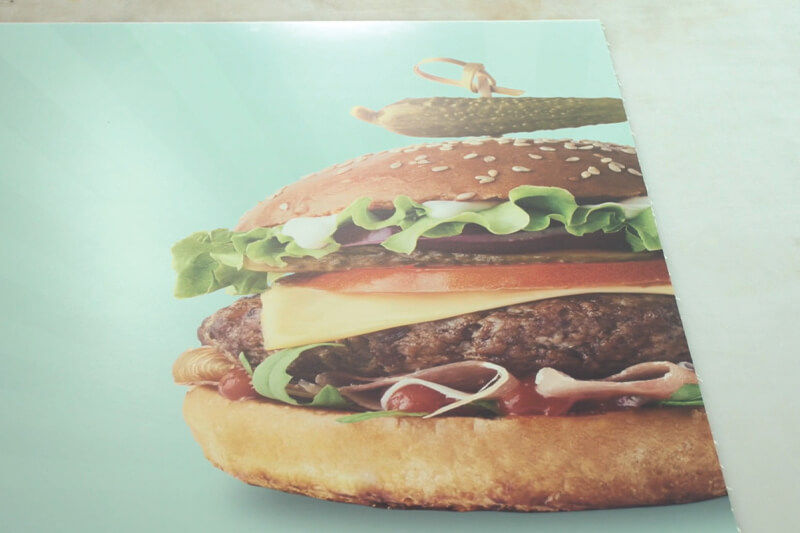
Fotografía de una hamburguesa impresa sobre un panel.
No todo es cuestión de la impresora.
Ya sea que se enfoque en la resolución, puntos por pulgada, tramado de medios tonos o tamaño de las microgotas, en general, cuando hablamos de calidad de impresión nos referimos a la habilidad de la impresora para reproducir una imagen de forma clara y precisa.
Como propietario de un negocio, usted debe considerar otros factores que comprenden la categoría de “calidad”. ¿Su vinilo adhesivo se aplicó sin pliegues o burbujas? ¿Sus impresiones resisten el paso del tiempo sin decolorarse o borrarse? ¿Pueden sus empleados producir con precisión pedidos sin cometer errores o tomar atajos obvios?
Al considerar los servicios que usted ofrece, muchos clientes pueden no tener un ojo experto para la precisión cromática. No les importará el tamaño de las microgotas de tinta siempre y cuando sus necesidades sean satisfechas. Ellos solo desean buenos productos de una empresa confiable en el momento oportuno y a precios competitivos.
Calidad vs. Velocidad
En la práctica, si el resultado impreso está diseñado para verse desde lejos (por ejemplo, con pancartas o paneles publicitarios), no se justificaría concentrarse en una reproducción de tipo fotográfico con tonos suaves de color. Usted puede imprimir estos productos a altas velocidades con una calidad de impresión inferior y producir grandes volúmenes, manteniendo sus precios competitivos para su clientela y maximizando las habilidades de producción de sus equipos.
Al imprimir paneles para puestos de exhibición, presentaciones de puntos de venta y proyectos que probablemente sean examinados más de cerca por más personas, se deberán usar parámetros de calidad mayor. Las nuevas impresoras TrueVis™ XP e impresoras/cortadoras TrueVis™ XG ecosolventes ofrecen tanto velocidad como calidad, así que usted no tendrá que sacrificar tiempo produciendo los resultados de alta calidad que sus clientes necesitan.
En algunas aplicaciones como barreras temporales para obras de construcción –las cuales requieren de una etapa adicional en la producción–, las velocidades de impresión se vuelven algo crítico, y es más probable que la calidad sea sacrificada para que su negocio se mantenga rentable. La impresión directa con sistemas UV-LED de cama plana es una buena forma de mantener la calidad y ahorrar tiempo al imprimir sobre sustratos rígidos como paneles de espuma, aluminio compuesto o plástico corrugado.
Roland DG ofrece una gama de impresoras UV-LED –incluyendo una impresora UV de cama plana de formato grande de alta velocidad– así como una variedad de versátiles y rápidas impresoras UV/ cortadoras rollo-a-rollo.
¿Qué factores afectan la calidad?
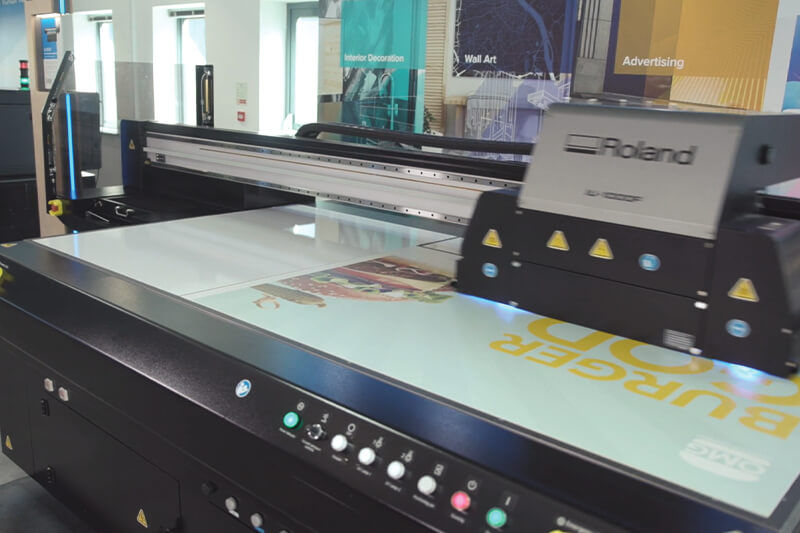
Una impresora UV de cama plana Roland DG de gran productividad en acción.
1. HARDWARE.
Como su proveedor de servicios de impresión, su impresora es el núcleo de su negocio, y es una importante decisión de inversión. Usted debe buscar cabezales de impresión de alto rendimiento con una buena reputación de confiabilidad y longevidad; asegurándose siempre de que las boquillas disparen tintas de forma correcta y precisa.
Usted también debe considerar la calidad general de la construcción del dispositivo y asegurarse de que los sustratos sean manipulados bien y se mantengan en su lugar mientras la impresora hace su trabajo.
2. TINTAS.
La calidad de sus tintas determinará la calidad general de sus imágenes impresas, así como su durabilidad. Si usted desea garantizar resultados consistentes con el tiempo, sin recalibraciones constantes ni sorpresas inesperadas, conviene utilizar solamente tintas certificadas por el fabricante de su dispositivo. Si bien las tintas más baratas pueden ahorrarle dinero hoy, el impacto a largo plazo podría ser catastrófico para la calidad futura de sus servicios y la reputación de su empresa.
Las tintas de mayor calidad son también más probables de mostrar características adicionales de rendimiento tales como consistencia cromática y secado óptimo, habilitando acabados y envíos más rápidos.
Esto no solo acelera la producción y ofrece tiempos de entrega más breves, sino también minimiza las probabilidades de escurrimientos o contaminación accidentales. Por supuesto, con tecnologías como la de las tintas UV, esto es menos preocupante ya que las tintas se curan instantáneamente con lámparas UV incorporadas al carro de impresión.
3. SUSTRATOS.
Como con el hardware y las tintas, en lo que respecta a sustratos la calidad y el precio van de la mano. Para trabajos de señalización temporal usted puede elegir algo económico; pero para soluciones más permanentes o trabajos de alto perfil para clientes más grandes vale la pena invertir en sustratos que usted sepa mostrarán la impresión en su máximo potencial. Es también importante usar el sustrato correcto para el trabajo y asegurarse que resistirá el entorno en donde se instale.
4. RESOLUCIÓN DE IMAGEN.
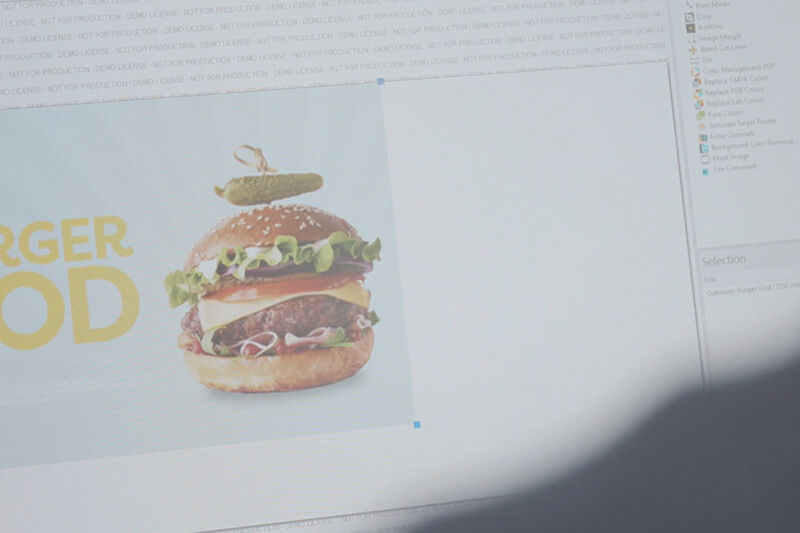
Diseño de anuncio de hamburguesa en plataforma RIP.
Siempre asegúrese de que sus imágenes fuente sean de una resolución lo suficientemente alta, especialmente al imprimir aplicaciones más grandes. Los gráficos y textos basados en vectores generalmente se pueden escalar sin pérdida de calidad, pero las imágenes rasterizadas tales como fotografías tienen un límite superior después del cual los píxeles se vuelven claramente visibles. En este último caso, usar la configuración de calidad de impresión más alta puede incluso ser perjudicial ya que puede exponer imperfecciones más evidentemente.
5. MANTENIMIENTO.
No pase por alto la importancia del mantenimiento regular y los controles de servicio periódicos. Nueve de diez veces la causa de un problema crónico en la calidad de impresión es un intervalo insuficiente de limpieza de cabezales, en lugar de una falla del dispositivo. Un ciclo de mantenimiento rápido y simple le permite mantener sus cabezales y boquillas en perfectas condiciones sin perjudicar la productividad.
Claro que ninguna máquina es invencible y, a veces, el desgaste puede causar problemas que usted no puede reparar por sí mismo. En estos casos tiene mucho sentido comercial trabajar con un fabricante que pueda ofrecer garantías con un servicio integral para que su producción no se interrumpa.
6. CALIBRACIÓN.
Si usted no obtiene el nivel de calidad que espera, existe la posibilidad de que su impresora no esté correctamente calibrada. Quizás usted cambió a un sustrato más grueso, o a un rollo más pesado en caso de la impresión rollo-a-rollo. Realice una prueba de impresión para comprobar el alineamiento bidireccional y asegúrese de que su impresora esté correctamente perfilada para el sustrato que esté usando.
7. ENTORNO.
Ocasionalmente, el mayor enemigo de una impresión perfecta no tiene nada que ver con la impresora. No es inusual que el polvo, pelusa y otros contaminantes floten en la sala de impresión y causen problemas. A veces estas partículas se adhieren al sustrato antes de la impresión, y otras veces caen en la impresión luego de que ésta haya salido de la impresora.
De cualquier manera, estas partículas pueden crear pequeñas imperfecciones que arruinen el efecto de la impresión completa, especialmente en áreas amplias con colores sólidos. Usted puede evitar esto manteniendo su sala de impresión y espacio de almacenamiento de sustratos libres de polvo y con una ventilación adecuada.
A veces la temperatura del entorno también puede afectar la viscosidad de las tintas y provocar fluctuaciones en la calidad de impresión. La temperatura y la humedad pueden también crear más estática, lo cual puede afectar la precisión. Para mantener la consistencia usted debe tratar de asegurarse de que la temperatura y humedad promedio sean reguladas.
8. EXPERIENCIA.
Incluso cuando todo lo demás funciona como debe, un error humano a menudo puede causar una calidad inferior. La impresión digital ha hecho que los procesos sean más intuitivos, pero sin una capacitación adecuada es fácil pasar por alto algo y producir resultados de calidad inferior.
Asegúrese de brindar una exhaustiva capacitación a todos sus empleados de manera que puedan producir la calidad esperada a la velocidad correcta. También consulte con el fabricante de su dispositivo y vea qué opciones de capacitación ofrece. Lo más probable es que pueda explicar funciones RIP que ahorren tiempo y le ayude a configurar espacios de trabajo personalizados que puedan acelerar considerablemente la producción en general y minimizar el número de errores.
¿Aún tiene preguntas?
Comuníquese con un experto de Roland DGA haciendo “clic” aquí.
Hable con un Experto
