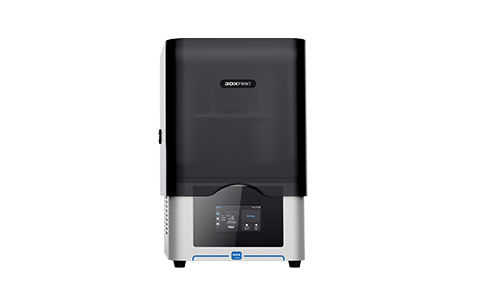
3DXPRINT Dental 3D Printer
Soporte Técnico Para
3DXPRINT Dental 3D Printer
Artículos relacionados
3DXCURE - Specifications3DXPRINT - Specifications
3DXWASH - Specifications
Búsqueda 3DX-PRINT Documents & Knowledge Base Articles
Expandir Todo | Desplegar Todo
Application Resources ( 5 )
Post Processing for Roland DGA Resin Material
99.49 KB
3DXPRINT - 3rd Party Material Packages Available
521.69 KB
Why do I need to cure a resin after printing?
77.66 KB
Maintenance & Calibration Guides ( 1 )
Owner & User Manual ( 2 )
3DXWORKS Slicing Software is a fast and simple slicing file generator that integrates model arranging, drain hole editing, support generation and slicing functions.
25.33 KB
Sales ( 1 )
Sample Files ( 1 )
Setup & Install Guides ( 5 )
3DXPRINT - Accessories Included with 3DPrinter
32.05 MB
Software Guides ( 3 )
3DXWORKS - Retrieving the Latest Material Packages
264.95 KB
Software Updates ( 1 )
3DXWORKS - Slicing Software. Download and run the installer with Administrator privileges.
486.73 MB
Training Videos ( 9 )
The 3DXPRINT System is a high-precision 3D printing solution tailored for the dental industry.
0.00 bytes
Unboxing the new Complete-Out-Of-The Box 3D Printer bundle solution 3DXPRINT designed exclusively to complement your DGSHAPE DWX Milling Solutions.
32.89 KB
Welcome! Let’s take a quick look at the accessories that come with your 3DXPRINT 4K LCD Dental 3D Printer.
34.17 KB
In this video, we’ll guide you through the essential steps to replace the resin tank film on your 3DXPRINT printer.
0.00 bytes
Step-by-step view of the basic set-up for your 3DXPRINT 4K LCD dental 3D Printer.
www.rolanddga.com/3DXPRINT
32.86 KB
Welcome! In this video, we’ll guide you through the simple steps to manually level the build plate on your 3DXPRINT 3D printer.
0.00 bytes
Welcome! In this video, we’ll cover the basic maintenance steps to keep your 3DXCURE system running smoothly.
0.00 bytes
In this video, we’ll walk you through the basic steps for replacing the LCD screen on your 3DXPRINT printer.
0.00 bytes
In this video, we’ll guide you through the essential maintenance steps to keep your 3DXWASH system operating efficiently.
0.00 bytes
Troubleshooting Guides ( 4 )
To maintain the LED light panel, inspect the surface of the LED lens for dust, resin, or contamination using a flashlight or cellphone light. Follow the guidelines provided by Roland DGA to clean the surface of the LED lens.
615.38 KB