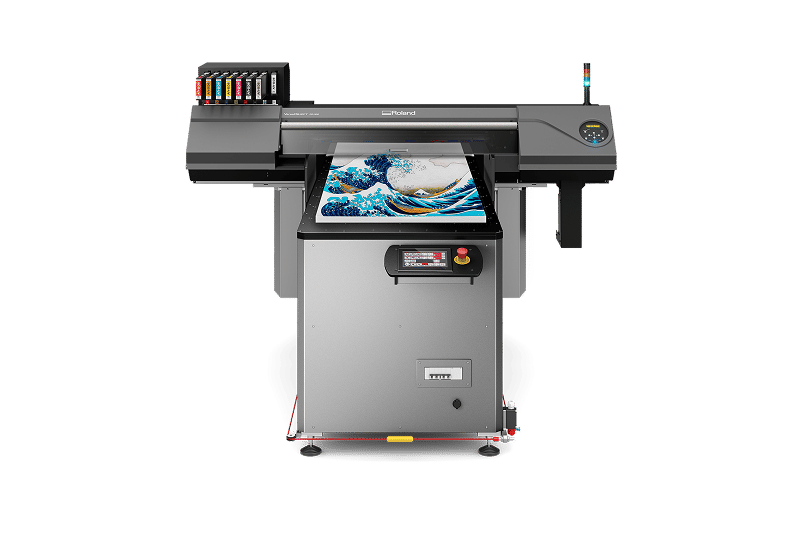
Sistema de transferencia directa a película UV
Imprima y transfiera gráficos sobre artículos de todas las formas y tamaños.
UV DTF Transfer System
-
PRECIOS SUGERIDOS
Láminas de Impresión UV DTFA (25 unidades) (279 mm × 406 mm)US$ 90,99*Película de Transferencia UV DTFB (Rollo de 25 m)US$ 63,99*De Venta por Separado
Compatibles con las Impresoras UV VersaOBJECT™ de la Serie MO, VersaOBJECT™ de la Serie CO-i o VersaSTUDIO de la Serie BD.
*Solo en Estados Unidos. Para precios en Canadá, Latinoamérica y el Caribe comuníquese con un Distribuidor Autorizado Roland DG en su área.
El nuevo UV DTF Transfer System de Roland DGA hace fácil y rápido aplicar deslumbrantes gráficos preimpresos con tintas UV a objetos de formas irregulares sobre los cuales es difícil o imposible imprimir de forma directa o no son adecuados para calcomanías de vinilo regular. Con nuestro UV DTF Transfer System, es fácil decorar incluso artículos ornamentales con superficies desiguales, esquinas curvas, y extremos o bordes extendidos. Además, el proceso requiere unos cuantos pasos simples, así que todos los usuarios –incluyendo aquellos sin experiencia previa de impresión– pueden personalizar o adaptar casi cualquier artículo.
- Un sistema de transferencia completo UV directo-a-película (UV DTF) le permite agregar vibrantes gráficos a sustratos de formas irregulares y artículos tridimensionales sobre los que no se puede imprimir directamente empleando un dispositivo UV-LED.
- Roland DGA ofrece todos los componentes del UV DTF Transfer System: Impresora UV de cama plana, Láminas de Impresión UV DTF, y Película de Transferencia UV DTF (de venta por separado).
- Los clientes pueden usar cualquiera de las siguientes impresoras para aplicaciones UV DTF: Impresoras de cama plana UV de sobremesa VersaOBJECT™ de la Serie MO, Impresoras de cama plana UV de escritorio VersaSTUDIO® de la Serie BD, e Impresoras de cama plana UV de formato grande VersaOBJECT™ de la Serie CO-i.
- Los actuales usuarios de las impresoras UV de cama plana de la Serie LEF2 de Roland DG pueden también producir gráficos UV DTF usando sus dispositivos.
- Perfecto para aplicaciones de tiendas minoristas, pequeñas empresas, y proveedores de servicios gráficos.
Un Completo
Sistema UV Directo-a-Película (DTF)

LÁMINA DE IMPRESIÓN UV DTF

PELÍCULA DE TRANSFERENCIA UV DTF

TINTAS V-BOND o EUV5

IMPRESORAS DE LA SERIES MO, BD o CO-i
Roland DGA le ofrece todo lo necesario para trabajar en aplicaciones UV DTF: una Impresora UV de cama plana (VersaOBJECT™ de la Serie MO, VersaSTUDIO® de la Serie BD o VersaOBJECT™ de la Serie CO-i), Tintas UV especialmente formuladas*, Láminas de Impresión UV DTF (disponibles en paquetes de 25 unidades) y Película de Transferencia UV DTF (disponible en rollos de 25 m). Si usted ya tiene una impresora de cama plana de la Serie MO, BD o CO-i, puede simplemente adquirir los demás componentes necesarios.
*Nota: las impresoras de cama plana de las Series MO y CO-i pueden ser usadas con tintas V-BOND o EUV5 para aplicaciones UV DTF. Las impresoras de cama plana de la Serie BD solo usan tintas EUV5.Transfiera Vibrantes y Detallados Gráficos UV a Casi Cualquier Artículo
¿Desea embellecer objetos grandes o de formas inusuales con atractivos gráficos impresos con tecnología UV? Con el UV DTF Transfer System de Roland DGA es fácil agregar valor y atractivo a una amplia gama de artículos sobre los cuales sería difícil o imposible imprimir de forma directa.

Destaque por sobre la competencia con distintivos diseños en sus artículos electrónicos.

Transfiera gráficos UV para decorar macetas y jardineras anguladas.

Personalice chanclas, zapatillas y demás tipos de calzado.

Decore jarros de cerveza y otros artículos de cristalería con deslumbrantes gráficos impresos con tecnología UV.

Personalice palos, bolsas, pelotas y más con monogramas, logotipos o diseños impresos con tecnología UV.

Agregue exclusive gráficos UV a cascos, botellas de agua y otros accesorios.
Las imágenes son solo para inspirarle. Asegúrese de probar la aplicación en los materiales para la adhesión.
En Cinco Pasos Fáciles
¡El flujo de trabajo del UV DTF Transfer System de Roland DGA hace muy fácil transferir incluso gráficos UV complejos con efectos texturizados y dimensionales! Produzca exclusivos productos personalizados en solo cinco sencillos pasos:
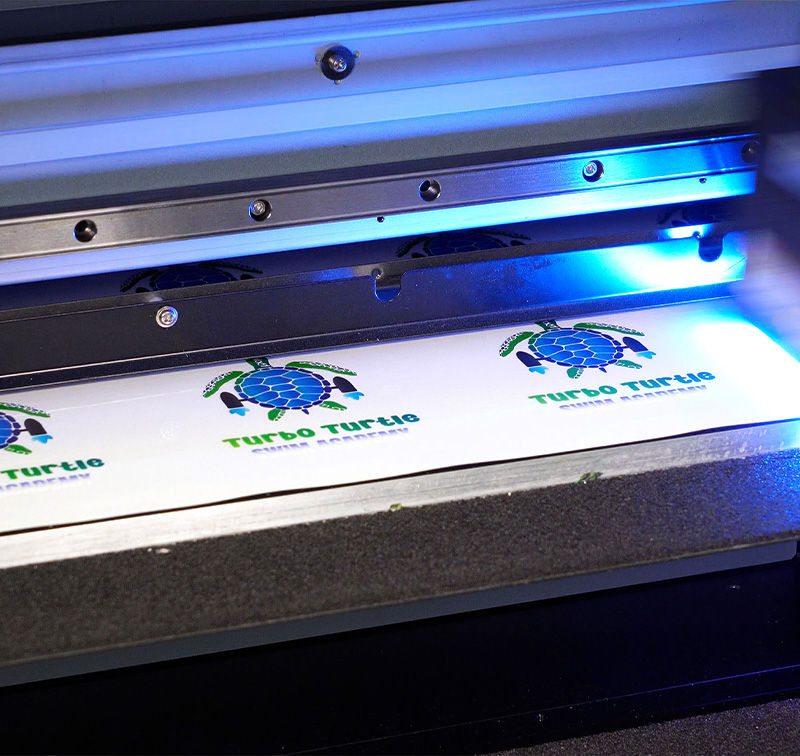
Lámina de Impresión
Imprima el gráfico sobre una lámina de impresión UV DTF usando la impresora UV de cama plana de su elección (con tintas V-BOND o EUV5, dependiendo del modelo de la impresora).
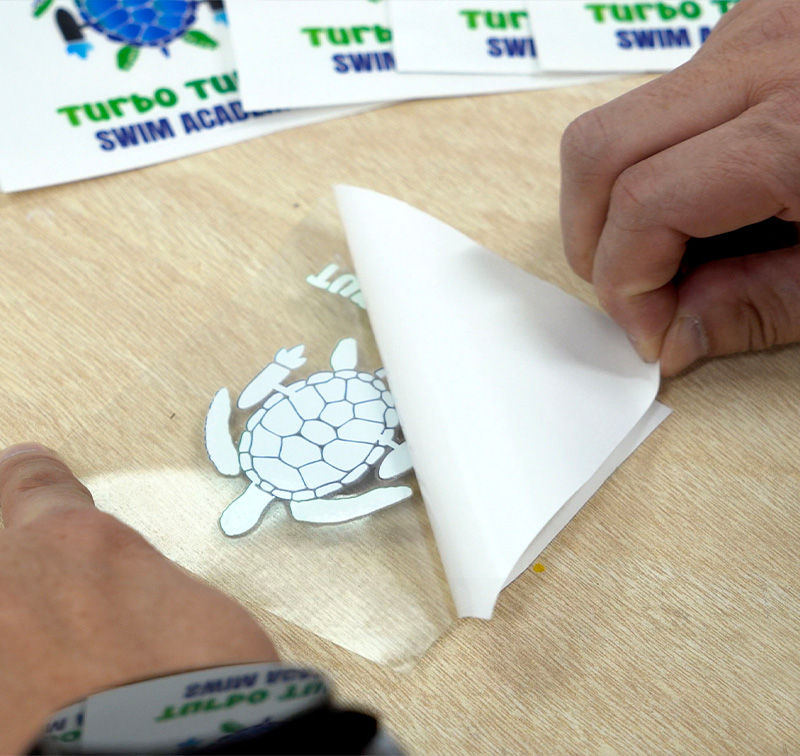
Despegue
Aplique la Película de Transferencia UV DTF sobre la impresión, y luego despéguela de la lámina trasera.
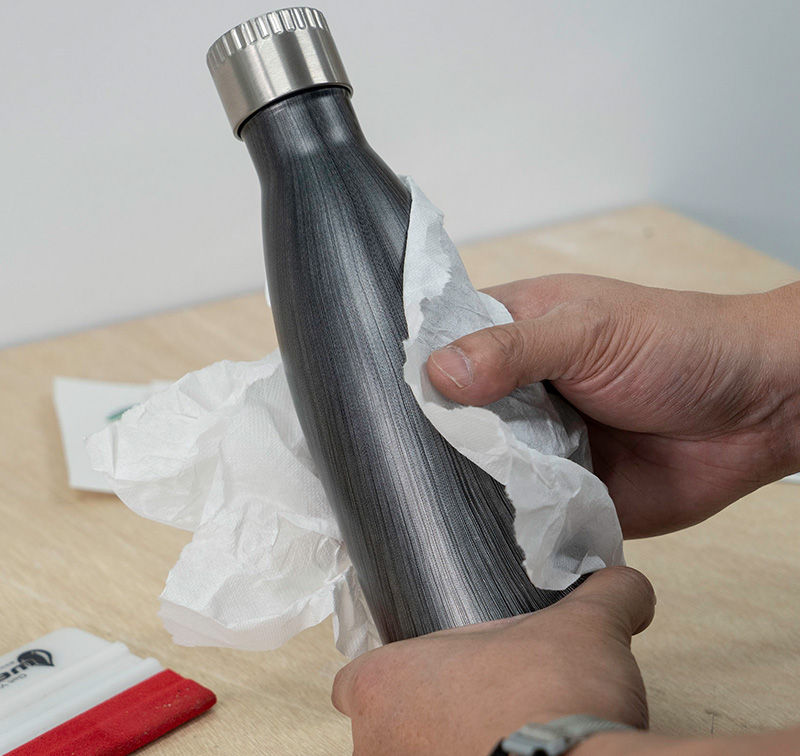
Limpie
Limpie y seque completamente la superficie del artículo donde usted desea aplicar su transferencia UV DTF.
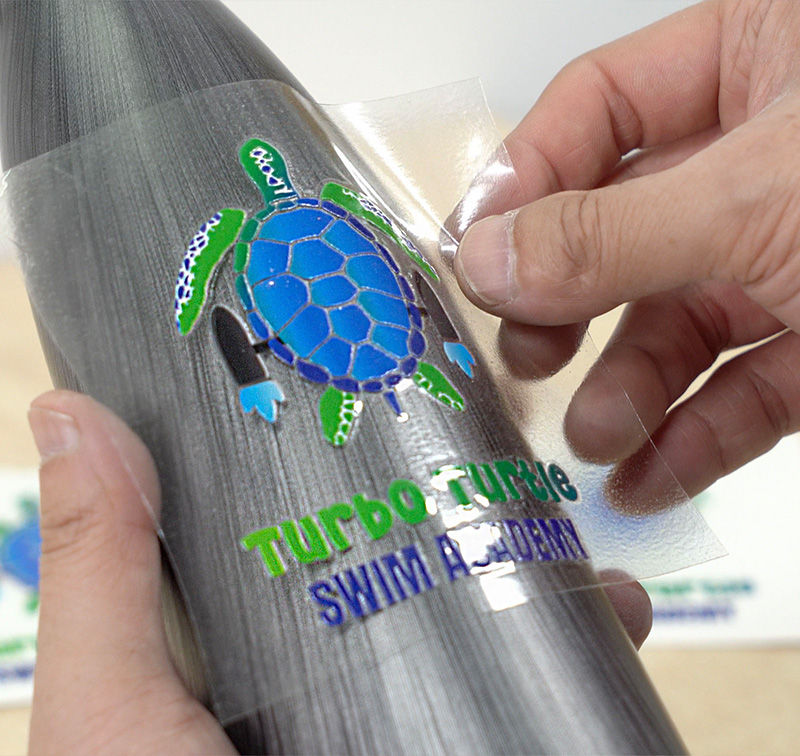
Transfiera
Transfiera el gráfico al objeto deseado empleando una leve presión manual.
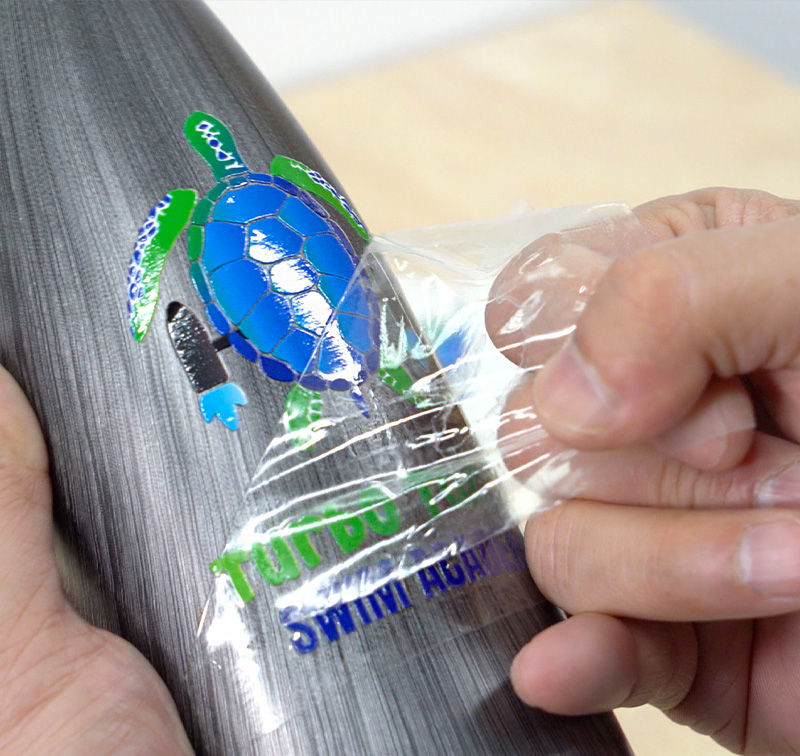
Despegue Frontal
Despegue delicadamente la Película de Transferencia UV DTF (algunos artículos pueden requerir una pistola de calor para el retiro desde esquinas o formas irregulares).
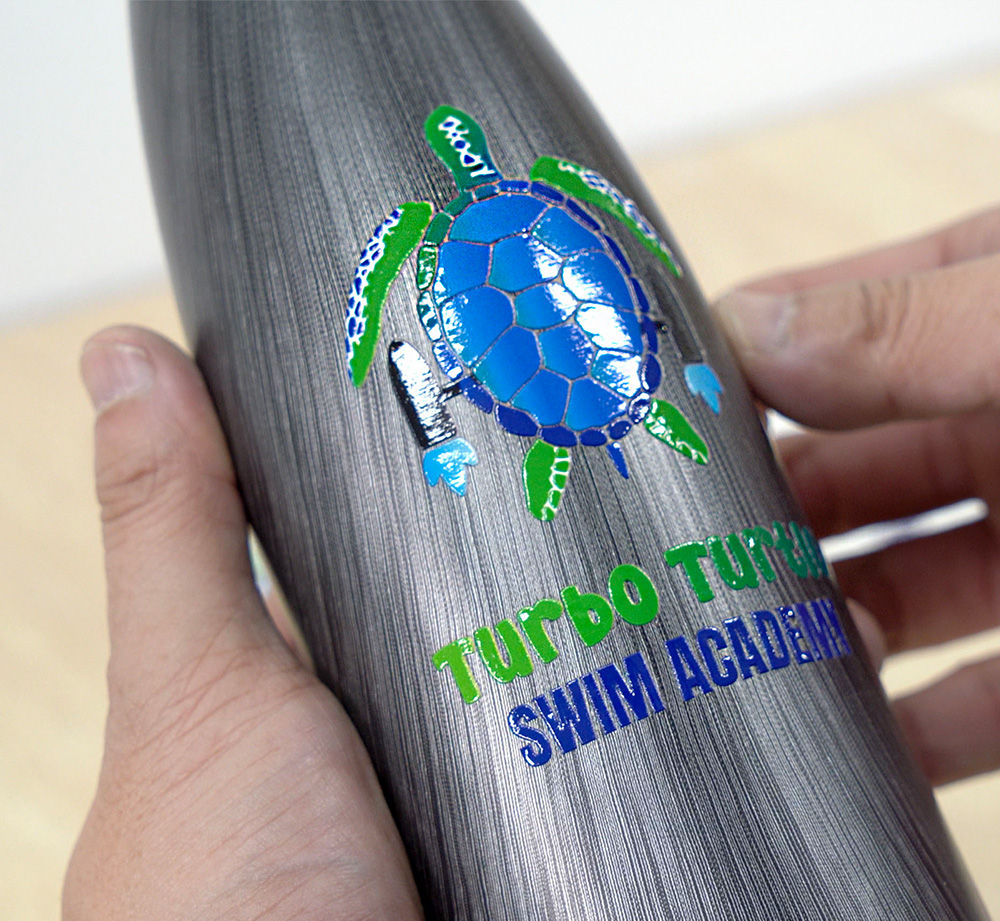
Resultado Final
Versatilidad
El UV DTF Transfer System de Roland DGA le permite imprimir coloridos y detallados gráficos UV, y luego transferirlos rápida y fácilmente sobre una amplia variedad de sustratos y objetos con superficies de formas irregulares.
Calidad de impresión
Las impresoras VersaOBJECT™ de la Serie MO, VersaSTUDIO® de la Serie BD y VersaOBJECT™ de la Serie CO-i entregan una insuperable calidad de imagen, permitiendo a los usuarios imprimir vibrantes gráficos sobre Láminas de Impresión UV DTF para transferencia. Los usuarios también tienen la opción de incorporar exclusivos efectos dimensionales y texturizados.
Tintas UV de Alta Calidad
Las tintas V-BOND y EUV5 son ideales para producir gráficos vibrantes, detallados y durables con el UV DTF Transfer System. Las impresoras VersaOBJECT™ de la Serie MO o de la Serie CO-i pueden usar tintas V-BOND y EUV5. Las impresoras de cama plana UV de escritorio VersaSTUDIO® de la Serie BD solo usan tintas EUV5.
Simplicidad
El UV DTF Transfer System de Roland DGA es increíblemente fácil de usar. ¡Los gráficos impresos con la LEF2 son tan fáciles de aplicar que prácticamente cualquiera puede hacerlo!
Explore las Opciones de Impresoras UV DTF
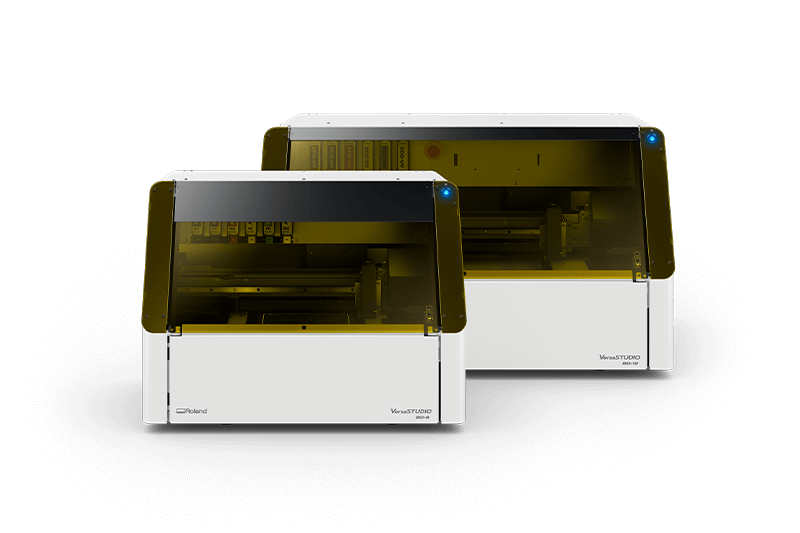
Serie BD
Impresora de Cama Plana UV de Escritorio
TAMAÑO DE IMPRESIÓN (A5)
BD-8: 147 mm × 211 mm
BD-12: 211 mm × 305 mm
COLORES DE TINTAS
BD-8 y BD-12:
CMYK, Blanco, Pretratamiento
CMYK, Blanco, Barniz Transparente
ALTURA DE CABEZAL
BD-8 y BD-12: 101 mm
PRECIOS SUGERIDOS
BD-8: US$ 11.595
BD-12: US$ 16.795
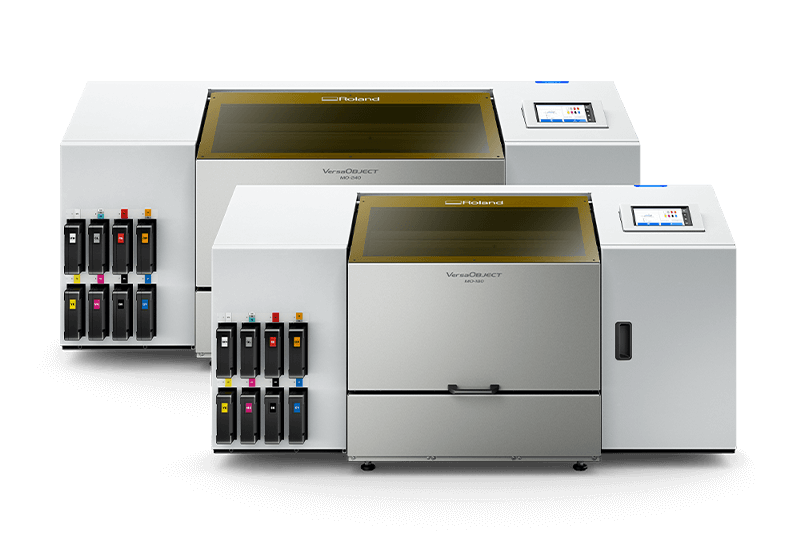
Serie MO
Impresora de Cama Plana UV de Sobremesa
TAMAÑO DE IMPRESIÓN
MO-180: 457 mm × 457 mm
MO-240: 610 mm × 457 mm
COLORES DE TINTAS
MO-180 y MO-240:
CMYK, Blanca, Pretratamiento,
Naranja, Rojo, Barniz Transparente
ALTURA DE CABEZAL
MO-180 y MO-240: 203 mm
PRECIOS SUGERIDOS